Evaluating Observability Tools for the AI Era
This guide gives you a more rigorous framework for evaluating observability tools in an era where your AI assistant depends on them as much as your engineers do. The criteria that matter most are not the ones that show up first in a sales cycle.

By: Kale Bogdanovs
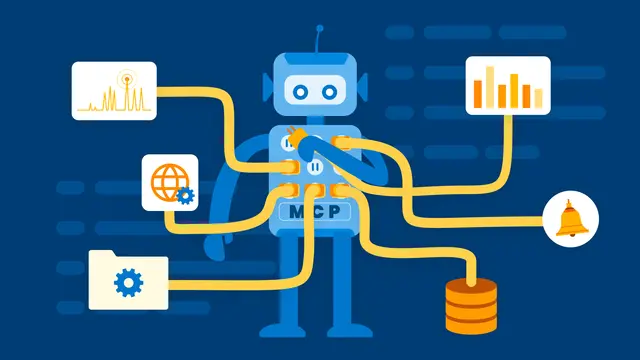
What’s Special About MCP?
When MCPs don’t hog context, they still won’t often beat using the innate knowledge of the model. But when you are ready to curate the access that agents have to your SaaS or data, MCPs are fantastic.
Read More
Every observability vendor has an AI story right now. Most have an MCP. Many have a chatbot. All have a demo where the AI finds the root cause of an incident in thirty seconds and everyone in the room nods. In the context of a public demo, these tools look almost identical. Ask the AI a question, the tool returns an answer, and the engineer fixes the bug. Impressive. But if you buy based on the demo, you may end up with an AI layer that looks great on a call and disappoints in production.
This guide gives you a more rigorous framework for evaluating observability tools in an era where your AI assistant depends on them as much as your engineers do. The criteria that matter most are not the ones that show up first in a sales cycle.
The second edition is here!
Grab your free copy of Observability Engineering
and learn the foundationals of observability
from the experts.
Why the AI era changes the evaluation framework
For years, the standard observability evaluation focused on things like dashboard quality, alerting flexibility, language and framework support, and pricing. And while those things still matter, when you connect an AI agent to your observability tool, a new set of requirements comes into play.
An AI agent doesn't look at dashboards. It queries your data iteratively, running one query to form a hypothesis and then running several more to test it. It needs answers fast, because every slow query adds latency and cost to the loop. It needs complete data, because an AI reasoning from incomplete information gives you confident but incorrect answers. It also needs to do all of this at a cost that doesn't increase exponentially when your whole team starts relying on it.
The short version: your observability tool is now an input to a new and different kind of system, not just a tool for humans to look at. That changes everything about how you should evaluate it. Most buyers evaluate the AI layer first and the data infrastructure last, but that’s backwards. Let’s look at how we should evaluate observability in 2026.
The criteria
1. Data: what does the AI actually see?
This is the most important criterion (and the one most likely to be glossed over in a demo, where everything is neat and perfect, even the problems carefully planned). AI is only as good as the data it has access to. The question is not whether a tool has an AI feature, but what that AI actually knows.
A few things to probe here:
- First, what is the underlying data model? Tools that capture rich, high-cardinality event data give AI fundamentally different (and better) raw material to work with than tools that just aggregate everything into metrics or collect logs and traces as separate, disconnected streams. An AI that can see a complete picture of an individual request, including its user, service, latency, error, and every relevant attribute in a single row, can answer questions that an AI working from aggregated metrics simply cannot.
- Second, what happens to your data before the AI sees it? Many observability tools apply sampling at ingestion to manage volume and cost. Sampling is often non-negotiable at production scale, but it means the AI may be reasoning about an incomplete picture of your production traffic. For broad trend analysis, this may be acceptable. For questions like, "What is happening for this specific customer?" it may not be. Look at head vs. tail sampling and ask whether the sampling tools are smart enough to identify and preserve a chain of customer experience.
- Third, how well does the tool handle cardinality? The ability to query by user ID, tenant, request ID, or any other high-cardinality field is what separates useful AI-assisted debugging from expensive guessing. A tool that forces you to pre-define the dimensions you care about will always be behind.
Remember that vendors run demos on clean, carefully prepared data. Think about what the AI will see in your production environment, with the data that you’re able to capture.
2. Infrastructure: speed and freshness
Query latency matters enormously in agentic workflows. A human engineer can wait thirty seconds for a query result. An AI agent running a ten-step investigative loop can’t, without becoming slow, expensive, and prone to giving up before it reaches a useful conclusion.
When you evaluate an observability tool, ask specifically about query performance on ad hoc, exploratory queries against live production data. Most tools are optimized for pre-built dashboards, which perform well because the query has been designed in advance and often pre-aggregated. The agentic use case is almost the opposite: arbitrary questions against raw data, at any time, by a caller that doesn't know what it's going to ask next.
Ingestion latency matters too. How stale is your data when the AI sees it? A five or ten minute delay might be fine for a weekly performance review, but it’s a real problem during an active incident. The speed of agentic workflows can be a huge advantage but you get the full benefit only if the agent sees what is happening in your production environment now.
A slow query engine with a chatbot sitting on top of it does not become a fast query engine. It becomes a conversational interface to a slow experience.
3. Integrations: where is it available?
The most capable observability AI does nothing for your team if it lives in a web dashboard that nobody opens. The question is whether it’s available in the surfaces your developers actually work in: their IDE, their terminal, their IM, their incident management workflow.
MCP support is a starting point, not a finish line. Probe whether the integration is available today for the tools your team uses, whether it is deeply integrated or a thin wrapper, and whether the roadmap matches your actual workflow. A native IDE integration that surfaces production insights while a developer is writing code is categorically different from a chatbot you have to navigate to separately.
4. Skills
There is a meaningful difference between an observability tool that wraps a generic LLM around your data and one that has built purpose-specific analytical capabilities that the AI can invoke. The former gives you a conversational interface. The latter gives the AI a set of tools designed for observability-specific tasks: anomaly detection, outlier analysis, SLO query generation, root cause isolation.
When a vendor tells you they are "powered by GPT-4" or "built on Claude," that is not a differentiator. Every vendor has access to the same models. The differentiation is in how well the tool frames the problem for the model, what specialized analytical operations the AI can call on, and how much work has gone into making the AI genuinely useful for observability tasks rather than just technically connected to the data.
Ask to see the AI do something non-trivial on data it has never seen before without you guiding it toward the answer.
5. The quality of the underlying LLM
This criterion matters, but less than vendors want you to believe, and it changes faster than any other factor on this list. The gap between frontier models narrows and shifts every few months. A tool that is tightly coupled to one model provider is also a tool that depends on that provider's roadmap and pricing. Model-agnosticism is a meaningful architectural advantage, not just a hedge.
More important than which model a vendor uses today is whether their AI investment is concentrated in the model layer or in the data and infrastructure layers. The model layer is a commodity. The data and infrastructure layers are not.
6. Total cost of ownership
AI features have their own cost structure, and it is easy to underestimate. Every query an AI agent runs incurs compute and LLM API costs. If your AI needs to ingest more data than you currently collect in order to do useful work, that is a migration cost that often does not show up in the initial pricing conversation. If the AI layer charges per seat or per query, model those costs at 10x your expected initial usage, because successful adoption tends to compound.
The most important question here is whether the pricing model punishes you for giving the AI what it needs. An observability tool that charges more as you capture more context, or one that applies cardinality limits that force you to choose between cost and data richness, creates a direct conflict between getting value from AI and controlling your bill.
How most evaluations go wrong
The typical observability POC goes something like this: you spin up a demo environment, connect the AI, watch it find a root cause impressively quickly, and come away feeling like the product works. Six months later, you’re in production and things feel different. The data is less complete than it was in the demo. Queries take longer against real traffic volumes. The cost has grown faster than expected. The AI is less useful than it seemed.
Demo environments are fast and clean. Production is not.
The AI layer is the easiest part of an observability tool to evaluate. It’s also the least important structural differentiator. Data completeness, query speed, ingestion freshness, and cost economics are harder to test in a POC and much more important to get right. Structure your evaluation accordingly.
Why Honeycomb?
While Honeycomb was not originally designed with AI agents in mind, it was founded on the belief that the best way to understand what your software is doing is to capture rich, high-cardinality data and give engineers fast, exploratory tools to query it. It turns out that conviction is exactly what makes an observability platform a useful foundation for AI investigations.
On data, Honeycomb's wide event model means every request is captured as a complete unit of context. There is no reconstruction required across siloed logs, metrics, and traces. Every attribute travels with the event: user, tenant, service, endpoint, latency, error, and any custom field your application emits. That is the shape of data an AI needs to answer specific, actionable questions. High-cardinality support is the baseline, not a bolt-on feature added to handle unusual queries.
On infrastructure, Honeycomb's query engine was built for fast, ad hoc exploration of live production data. That was the original design goal, years before AI agents became a consideration. Query results come back in seconds, not minutes, which is exactly what an agentic loop requires. Ingestion latency is measured in seconds as well, meaning the AI is reasoning about what is happening now, not a cached approximation from ten minutes ago.
On integrations, the Honeycomb MCP is available today for Claude Code, Cursor, and other agentic surfaces. This is not a roadmap item. A developer writing the next version of your application can have production observability context available in the same tool they use to write the code.
On skills, Honeycomb surfaces purpose-built analytical tools like BubbleUp for outlier detection, which the AI can invoke for specific investigative tasks. The AI has access to analytical primitives that Honeycomb engineers already rely on.
On cost of ownership, Honeycomb customers can use both a traditional time series model to efficiently capture and store standard infrastructure metrics at scale, and an event-based model that bills on event volume, not on cardinality or the number of fields per event. Capturing richer context, the thing that makes AI more useful, does not trigger a cost penalty. You are not forced to choose between data richness and bill management.
The question to ask in every demo
Before you ask "Can your AI find the root cause of this incident?" ask three things:
- How much of my production traffic will it have actually seen?
- How long did that query take?
- What will I pay when I’m adding all my data and my whole team uses this every day?
The answers to those questions will tell you more than the demo.
Leverage AI-powered observability with Honeycomb Intelligence
Learn more about Honeycomb MCP, Canvas, and Anomaly Detection.