Honeycomb Canvas: The Multiplayer Workspace for the Agentic Era
Auto-investigations that start the moment a trigger fires. Custom skills that encode your team's runbooks. A live workspace where humans and agents investigate production together. Now available to all Honeycomb customers.

By: Kale Bogdanovs
Honeycomb Innovation Week: Full Day 2 Sessions
Watch a full replay of all keynotes on Day 1 of Honeycomb's Innovation Week and learn more about what's on the roadmap for us this year.
Watch Now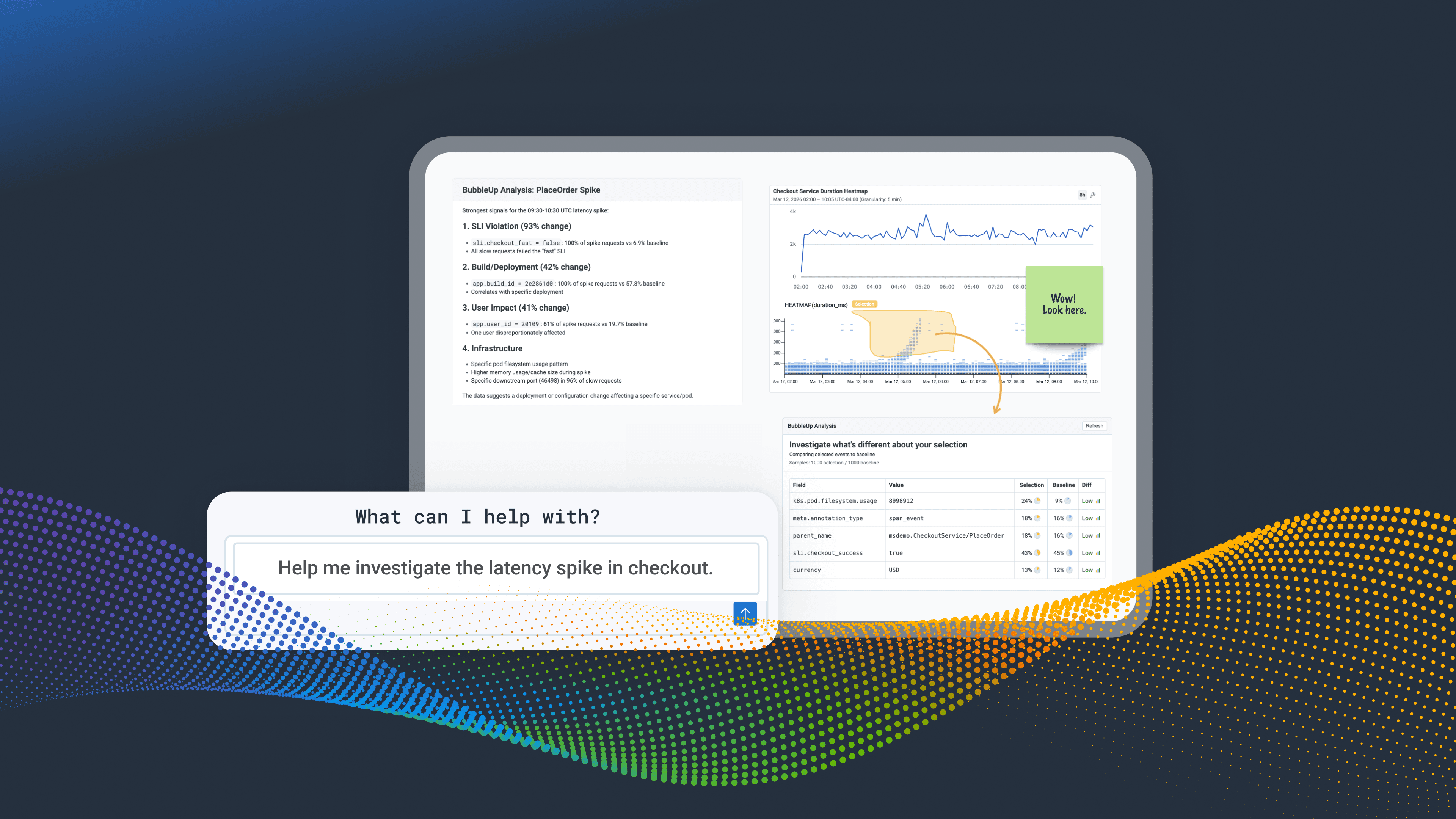
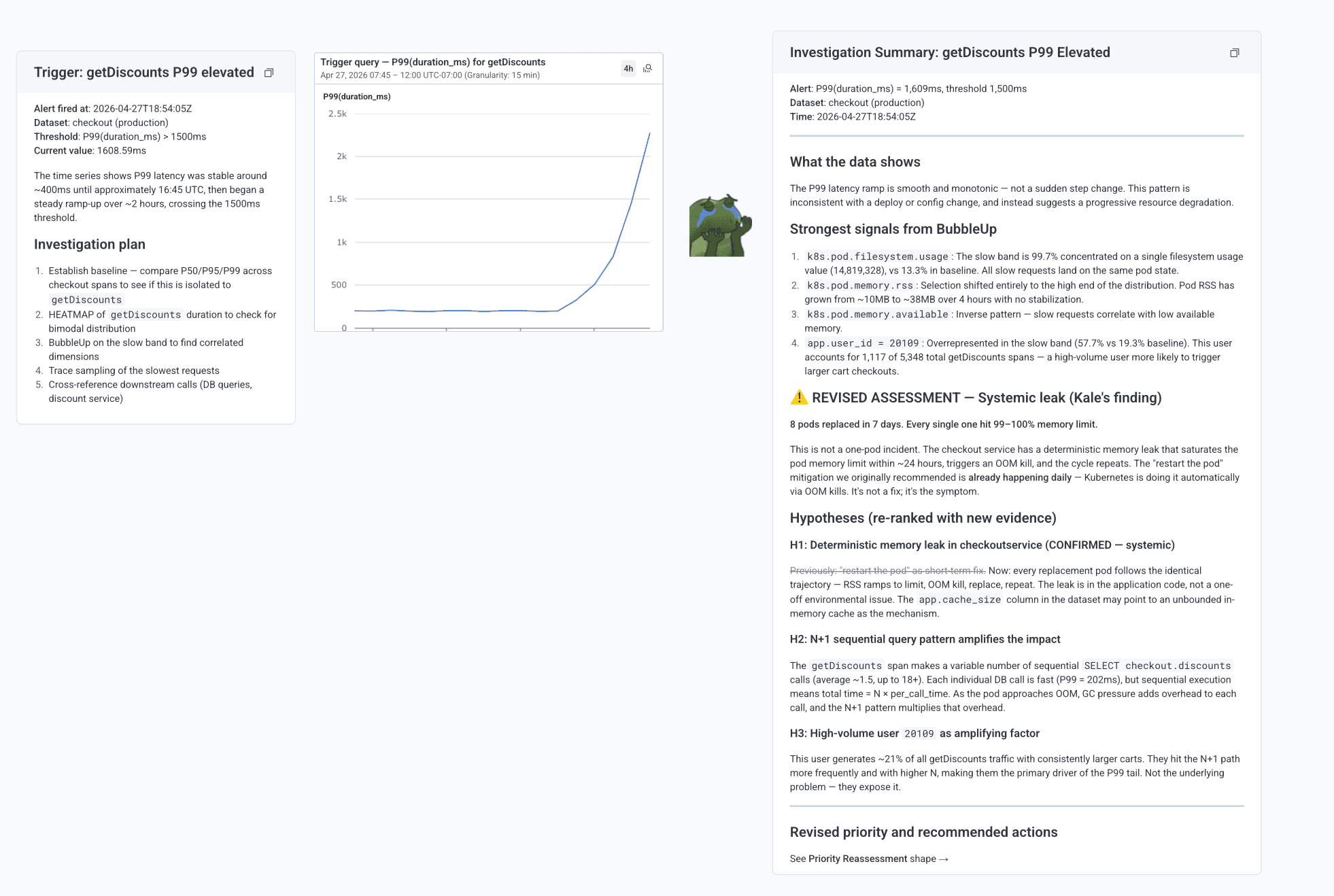
Last week, we launched a major update to Canvas, our investigation workspace. The new Canvas has evolved from an AI co-pilot you chat with to a place where your whole team, human and agent, can work the same problem on the same surface. Auto-investigations begin the moment a trigger, SLO, or anomaly fires. Custom skills encode your team's runbooks so every agent investigates with your team's expertise built in. Findings, queries, charts, and recommendations accumulate live on the canvas, revising in real time as new evidence comes in.
Watch the full demo video below.
Why we built Canvas
Investigations have been getting harder as AI-powered development increases the speed of failure. Failures in production don't always throw explicit errors anymore. There may not be an obvious bad deploy to roll back. Novel modes of failure surface in production first because so much of the software development lifecycle now happens live. And the response itself is changing: investigations involve more people, more services, and increasingly, AI agents helping with the work.
Meanwhile, the tools teams use for the response haven't kept up. Chat-style AI assistants treat every question as a one-off. They don't keep state, share context across teammates, or act autonomously. Notebooks and dashboards capture queries but don't reason about them. Incident management tools route who responds, but the actual investigation still happens in your team’s heads, with collaboration powered by screenshots pasted into Slack threads. A live workspace where humans and agents actually do the work together hasn't existed, so we built one.
What Canvas does
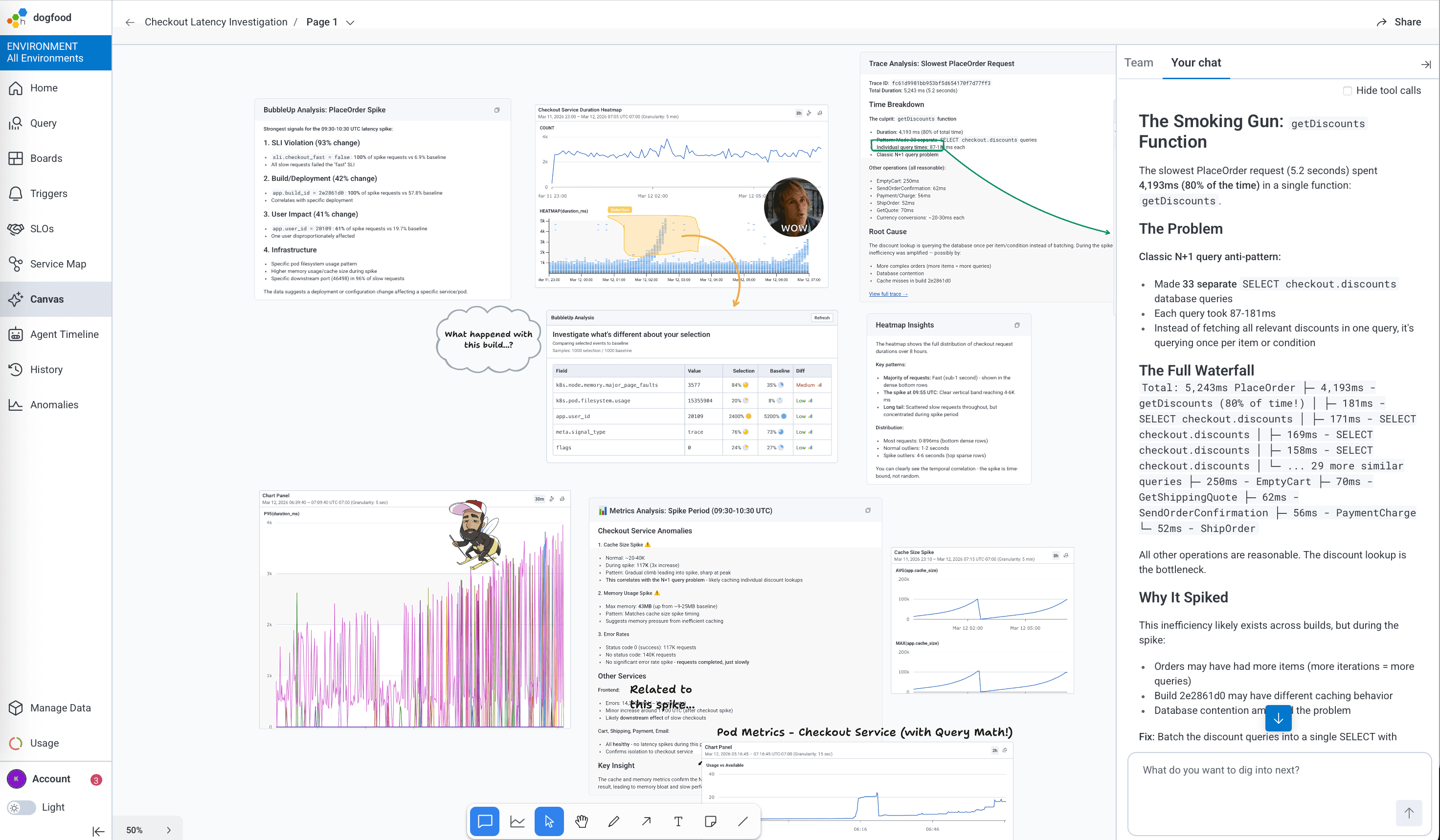
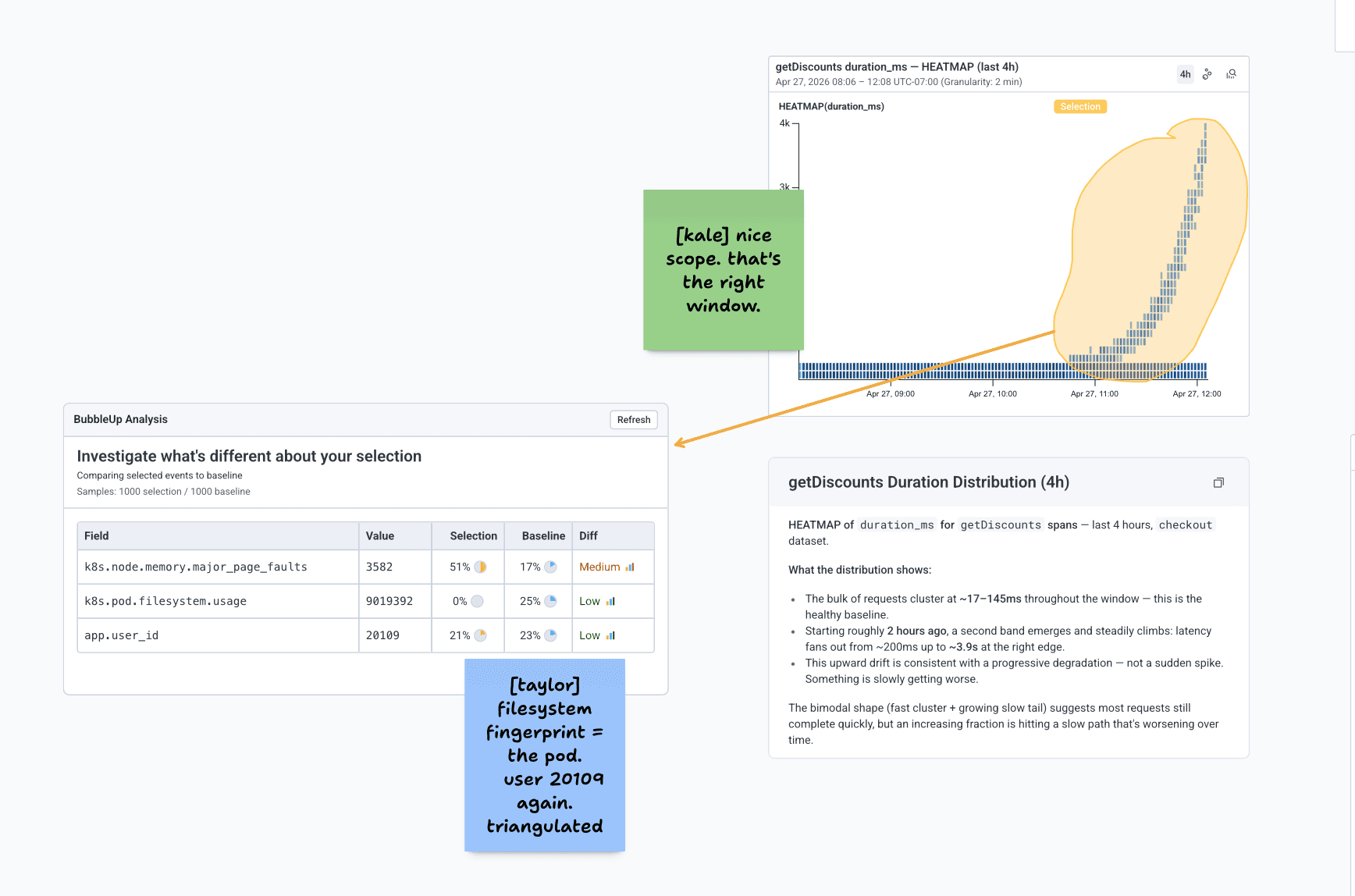
Canvas is a live, shared surface for production investigations. Anything that comes out of a conversation with an agent, a query result, a chart, a hypothesis, or an incident summary can be pinned to the canvas where the rest of the team can see it, build on it, and reference it back in chat. The canvas reads what humans add to it, including hand-drawn selections like a circle around a slow band on a heatmap. Multiple humans and agents can work the same canvas at once. New evidence reaches every participant in real time, and agents revise their own recommendations as new findings come in, including findings from other agents.
How it works
Canvas is built on Honeycomb's long-standing foundation of high-cardinality, event-based telemetry. The agents reasoning on the canvas are running real Honeycomb queries against your wide events. Whatever your team can find with BubbleUp, a query, or a heatmap, the agent can too, and it can do that work in parallel across multiple threads of an investigation. Investigations in the agentic era often require the kind of high-cardinality lookup that older monitoring tools struggle with, like following a single user, session or conversation across every service it touched.
Skills are how the agents reason. Canvas ships with a set of pre-built skills so the agent investigates the way an expert Honeycomb user would. You write your own to encode your team's runbooks, describe when each should fire, and invoke them directly from the canvas when you want a specific approach. Any agent in your organization investigates with your team's expertise.
A quick tour
The investigation surface
A live canvas that updates as humans and agents contribute. Anything you chat about can be pinned. Anything pinned can be referenced from chat. Living summary cards keep the current state of the investigation visible at a glance, revising in place as evidence arrives.
Auto-investigation
Triggers, SLOs and anomalies kick off an investigation automatically. The agent orients, plans, queries, and ranks contributing factors before anyone joins. The canvas already shows the working hypothesis when you arrive.
Skills
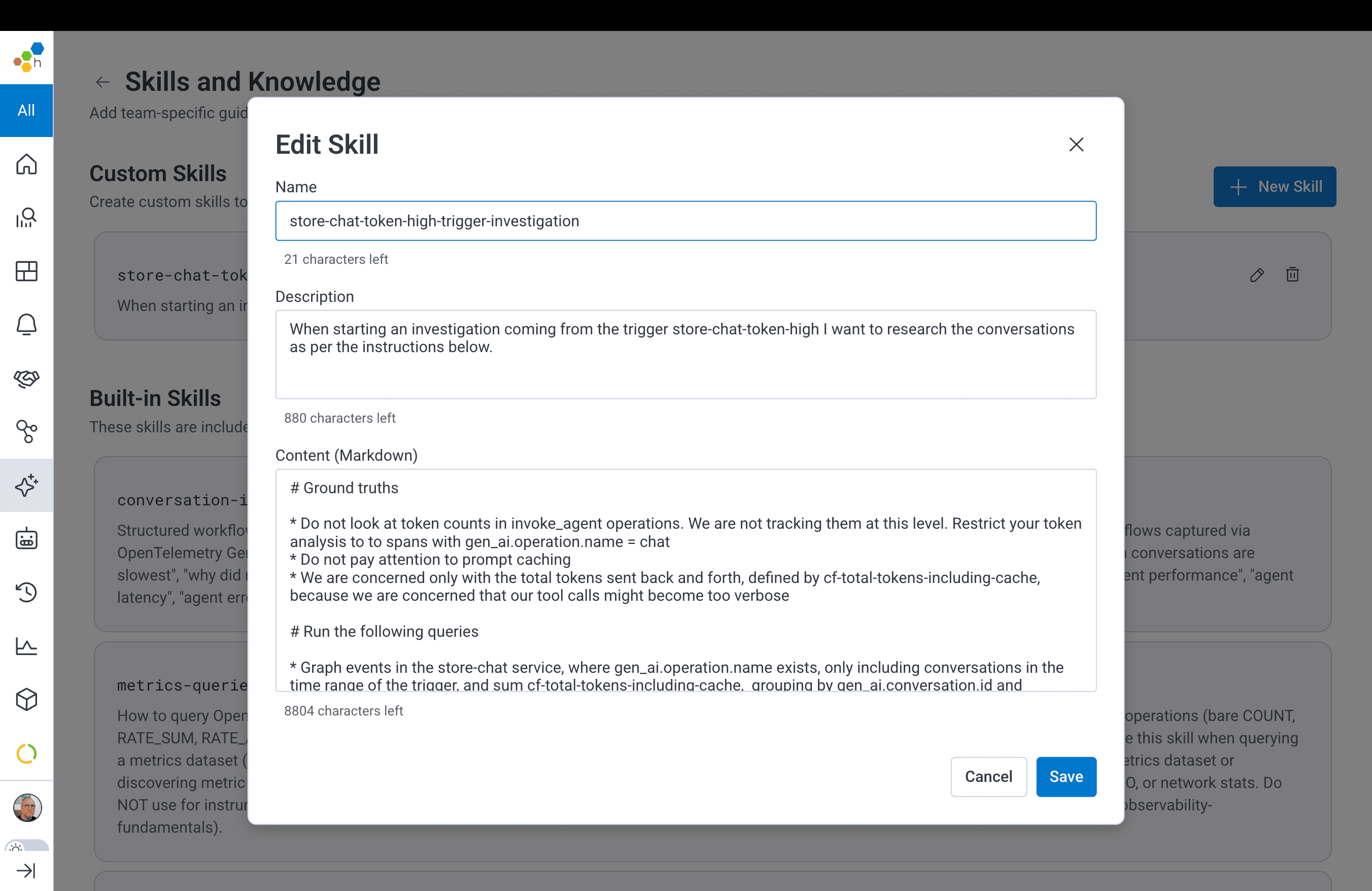
Pre-built skills for common investigation patterns, plus custom skills to encode your team's runbooks. Use them by description (the agent picks the right one for the moment) or invoke them directly when you want a specific approach.
Multiplayer with visual reasoning
Multiple humans and agents in one canvas. Circle a region on a heatmap and the agent reads what you drew and scopes its work to match. BubbleUp, queries, traces, and span analysis are one step away from any selection.
When the trail leads to a production LLM conversation
Sometimes, the root cause sits inside an AI agent's behavior rather than the system around it. Pivot from Canvas into Honeycomb Agent Timeline for a conversation-first view of a single agent execution. One investigation, two modes, no tool-switching.
Why this all matters
Production failures in the agentic era often arrive without explicit errors or clean rollbacks, and without waiting for the on-call engineer to finish their coffee. The work of investigation has to start earlier, run faster, and bring everyone's expertise to bear at once. Canvas is the workspace built for it, where the agents that do the early work, humans that steer them, and the team's accumulated expertise all converge on the same surface.
See it in action
Get started
The new Canvas is available to all Honeycomb customers today. We'd love to show you how investigations look when the workspace is built for the way production actually breaks.
Check out our online documentation for Honeycomb Canvas.
New to Honeycomb?
Get your personalized demo today.